
**Usually when the Exchange Admin granted you delegated full access to someone's mailbox, it will automatically be added on the left-hand side panel under your email account.**
Access Request: support@mikecarneygroup.freshdesk.com
Go to "File" tab and choose "Settings"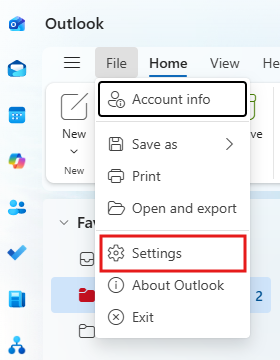
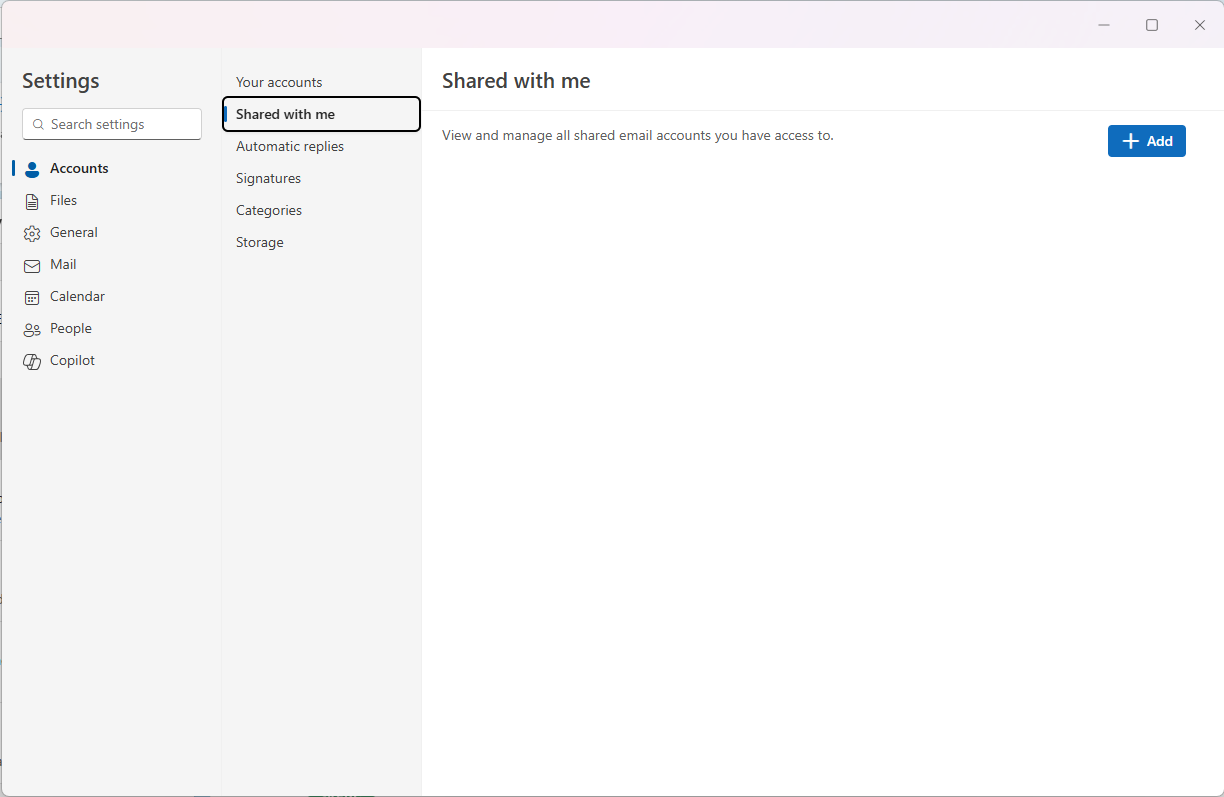
On the left-hand side Menu panel, go to "Accounts" -> "Shared with me" -> "Add"
Add the "Shared Email" account in the text field., then Continue.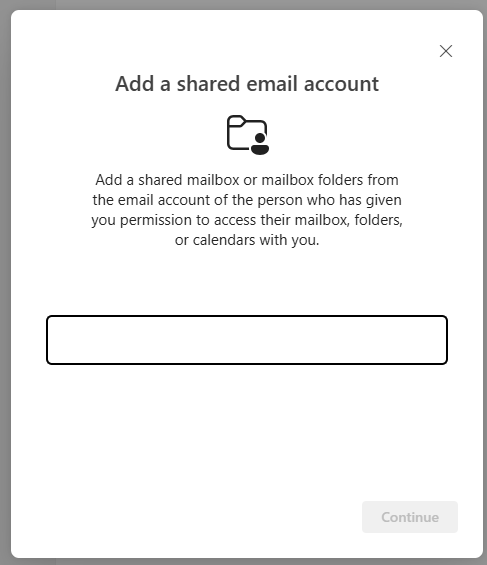
The account should be added on the left-hand side panel under your email account.