
**How to Login to Milestone Xprotect CCTV Client**
List of CCTV Server:
Townsville – 192.168.1.107
Ingham – 10.2.51.3
Charters Towers – 10.4.51.3
Access Request: support@mikecarneygroup.freshdesk.com
On the “Computer” text field, copy and paste the location you want to log on to.
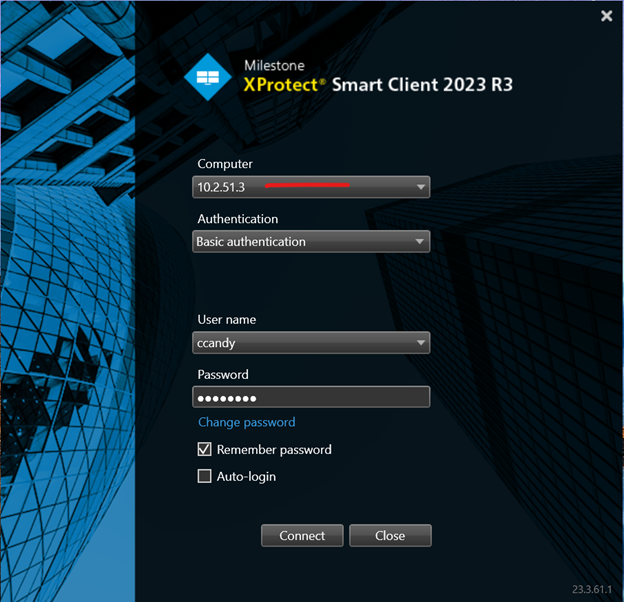
Authentication: Choose Basic Authentication from the selection.
Username and password will be given to you via email upon request from the IT Department.
Tick the “Remember password" to save you time logging in the next time.
Changing location
**Make sure you have been given access to other locations.
If you want to switch location. Eg.. Townsville to Ingham..
Look for the person icon on the top-right hand side.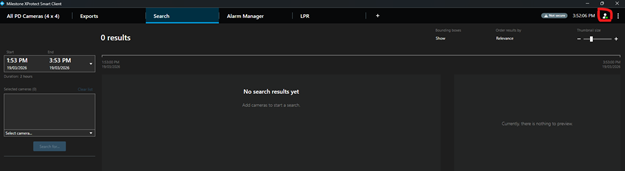
Then log out.. Once logged out, you will be taken back to the Login screen where you can change the server location to Ingham
