
When in Tune and you want to export to Excel using Ctrl + F10, and it brings up this view below instead of exporting it to an Excel spreadsheet.
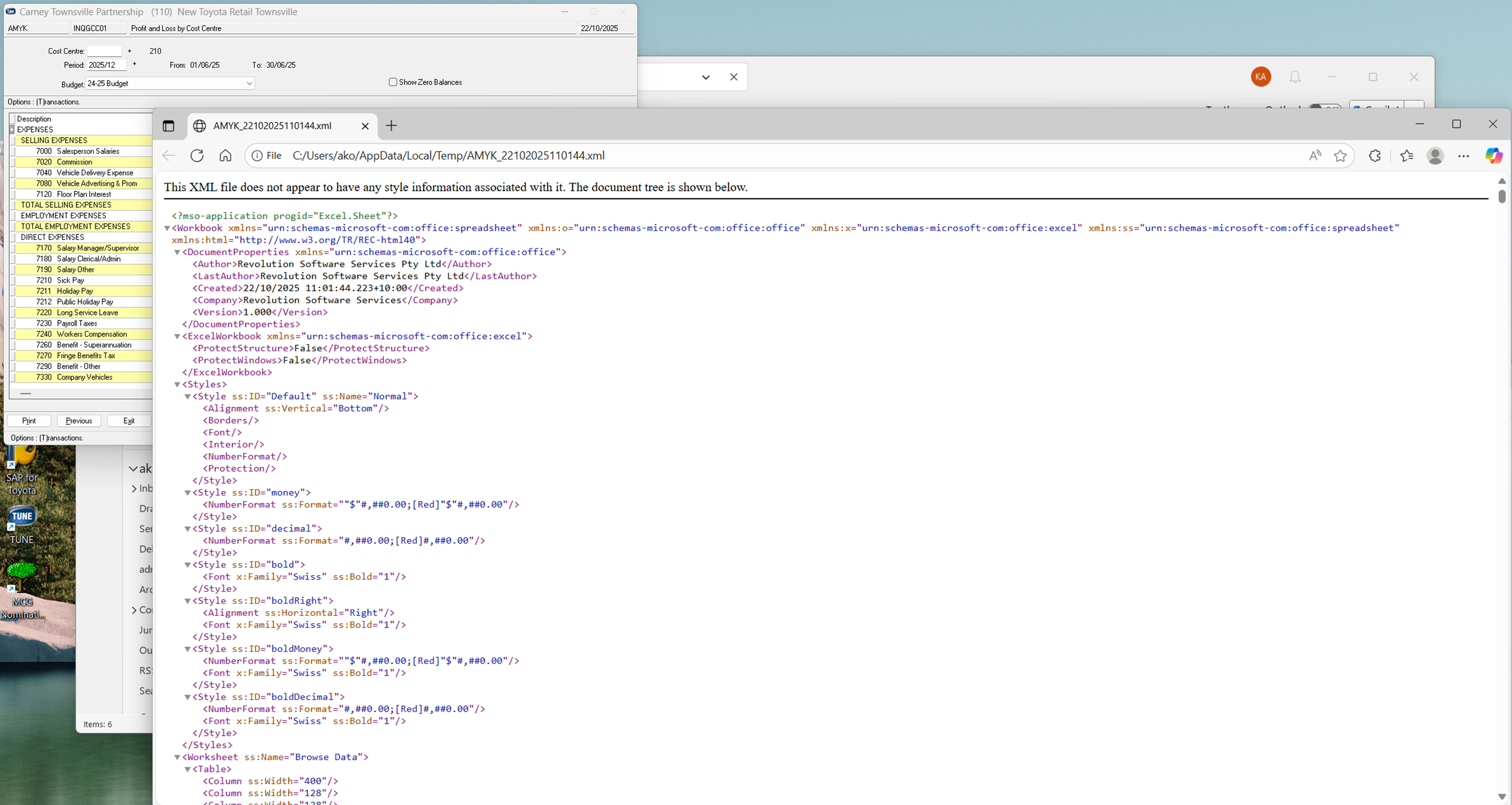
To fix...
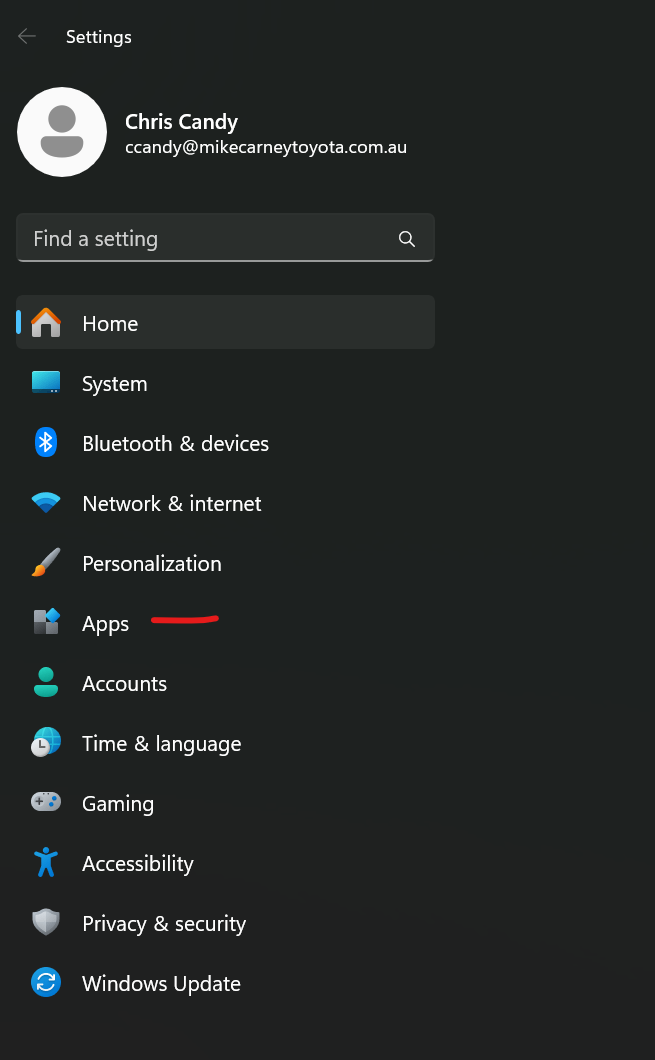
Click the start button and type Settings. Click the settings icon, then go to Apps
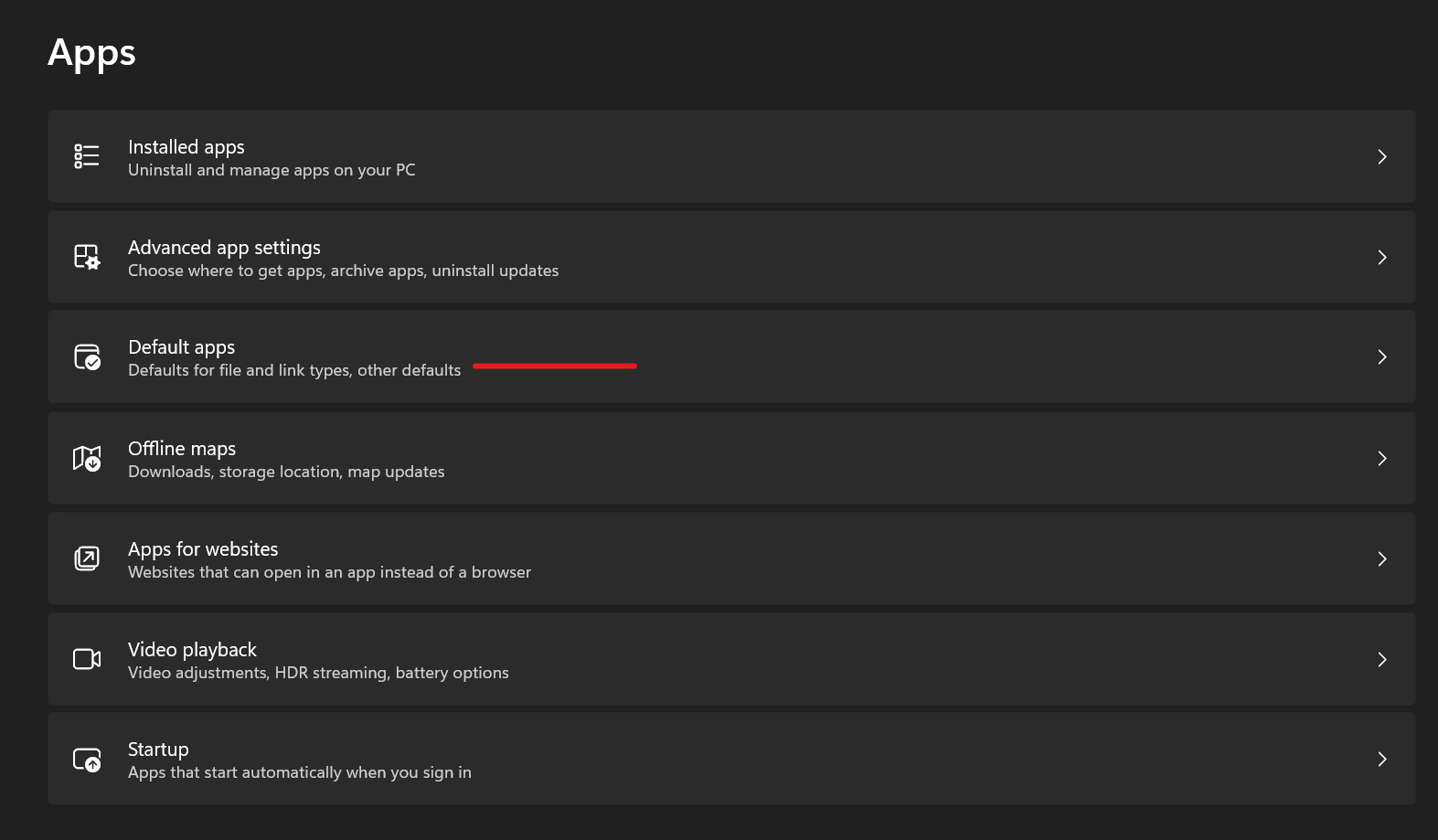
Click Default Apps
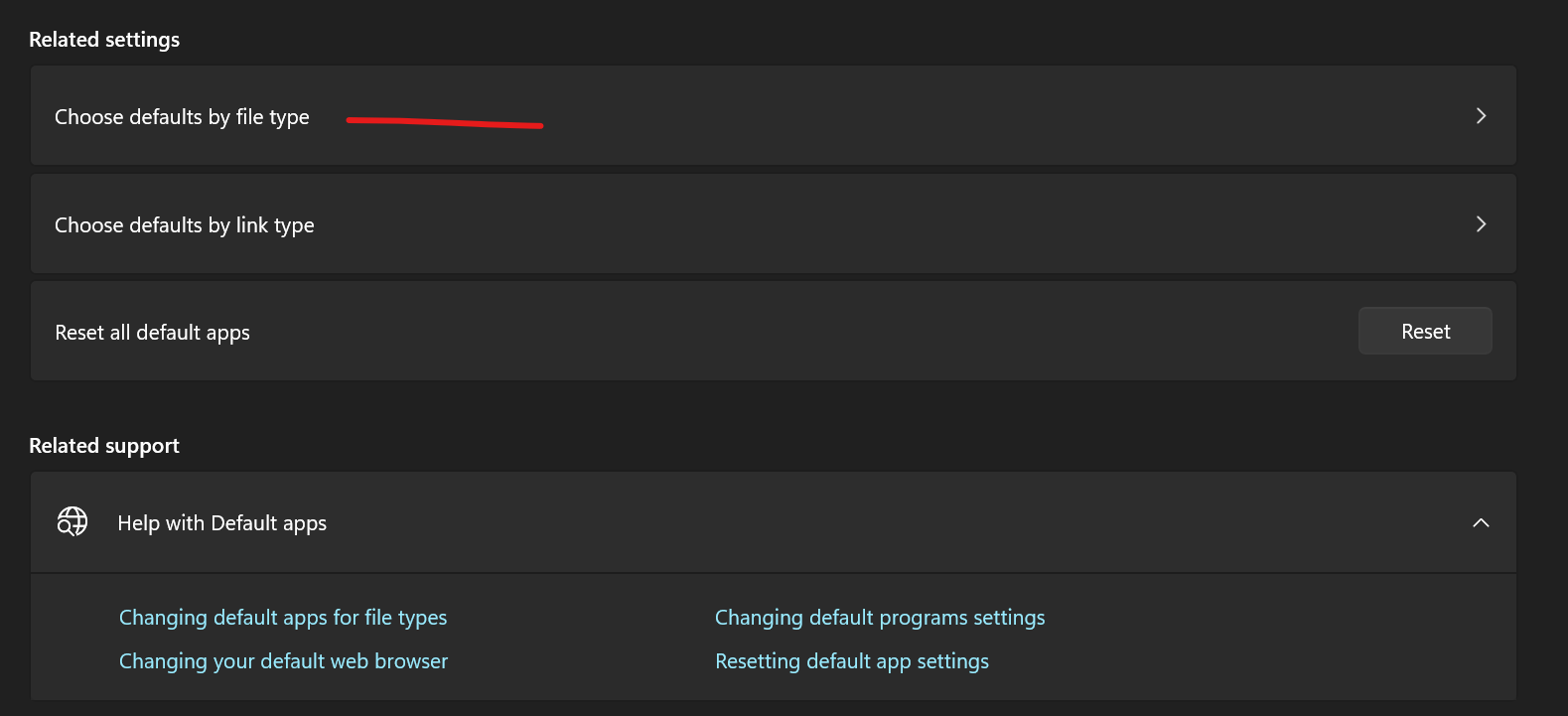
Scroll all the way to the bottom of the page and select, Choose defaults by file type.
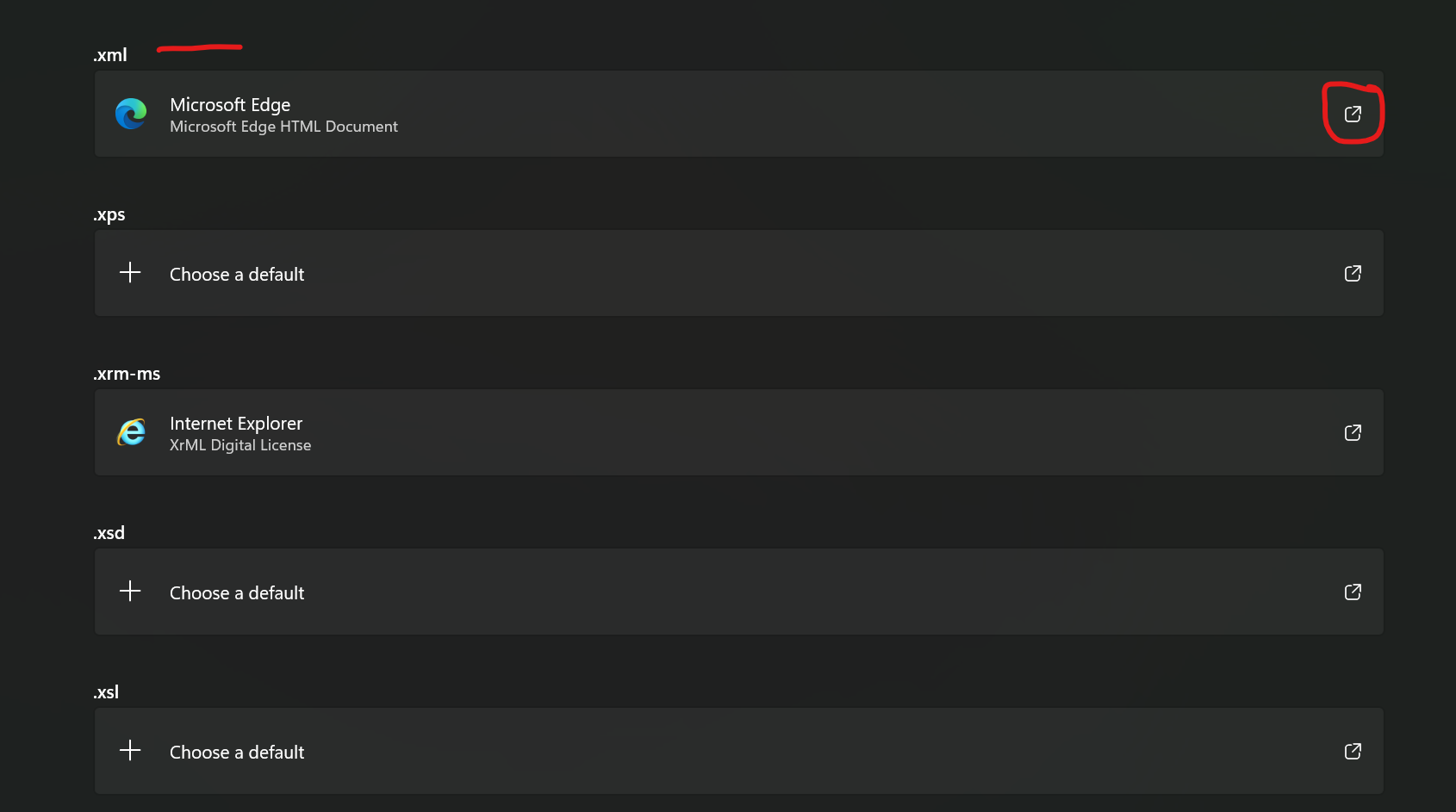
Scroll all the way down the page until you find .xml, click the change icon that is circled in red below.
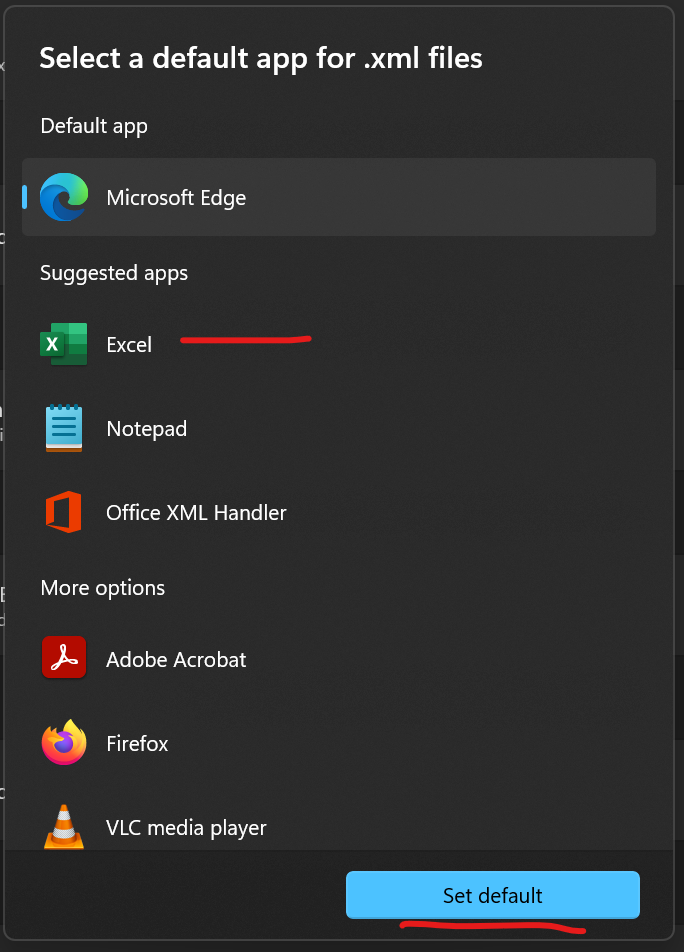
Select Excel then click set as default.
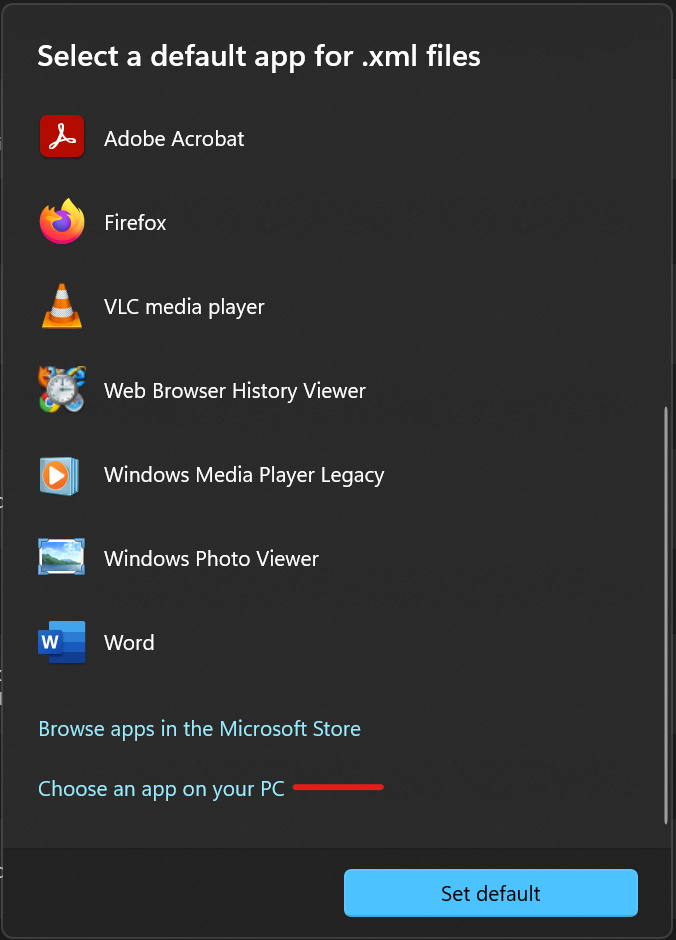
If Excel does not appear in your list, scroll to the bottom and select Choose an app on your PC
Navigate to C:\Program Files\Microsoft Office\root\Office16 and select Excel.exe from the list.
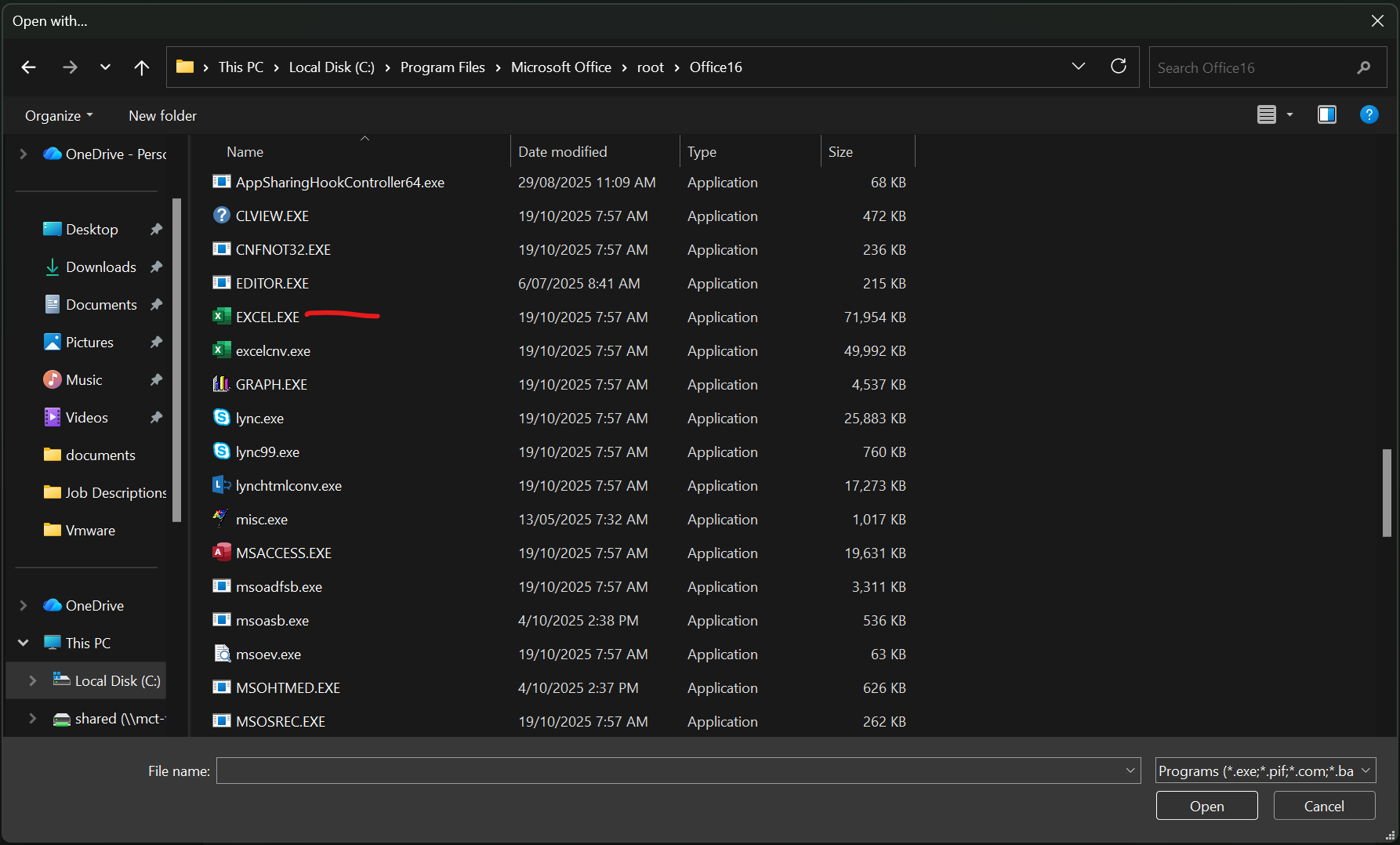
Select, set as default.